
2.4 KiB
Obsidian to Notion
Obsidian share to Notion
Share obsidian files to Notion with one click, and auto add Notion share link in obsidian

How to use
Install the plugin
BRAT
Search for BRAT plugin in the plugin market center
Add EasyChris/obsidian-to-notion to the list of installed BRAT plugins
Go back to the plugin center and enable it
Manual installation
cd YOUR_OBSIDIAN_FOLDER/.obsidian/plugins/
git clone https://github.com/EasyChris/obsidian-to-notion.git
Marketplace download
Please install via BRAT because it's not on the market yet
Apply Notion API
Official reference documentation: https://developers.notion.com/docs
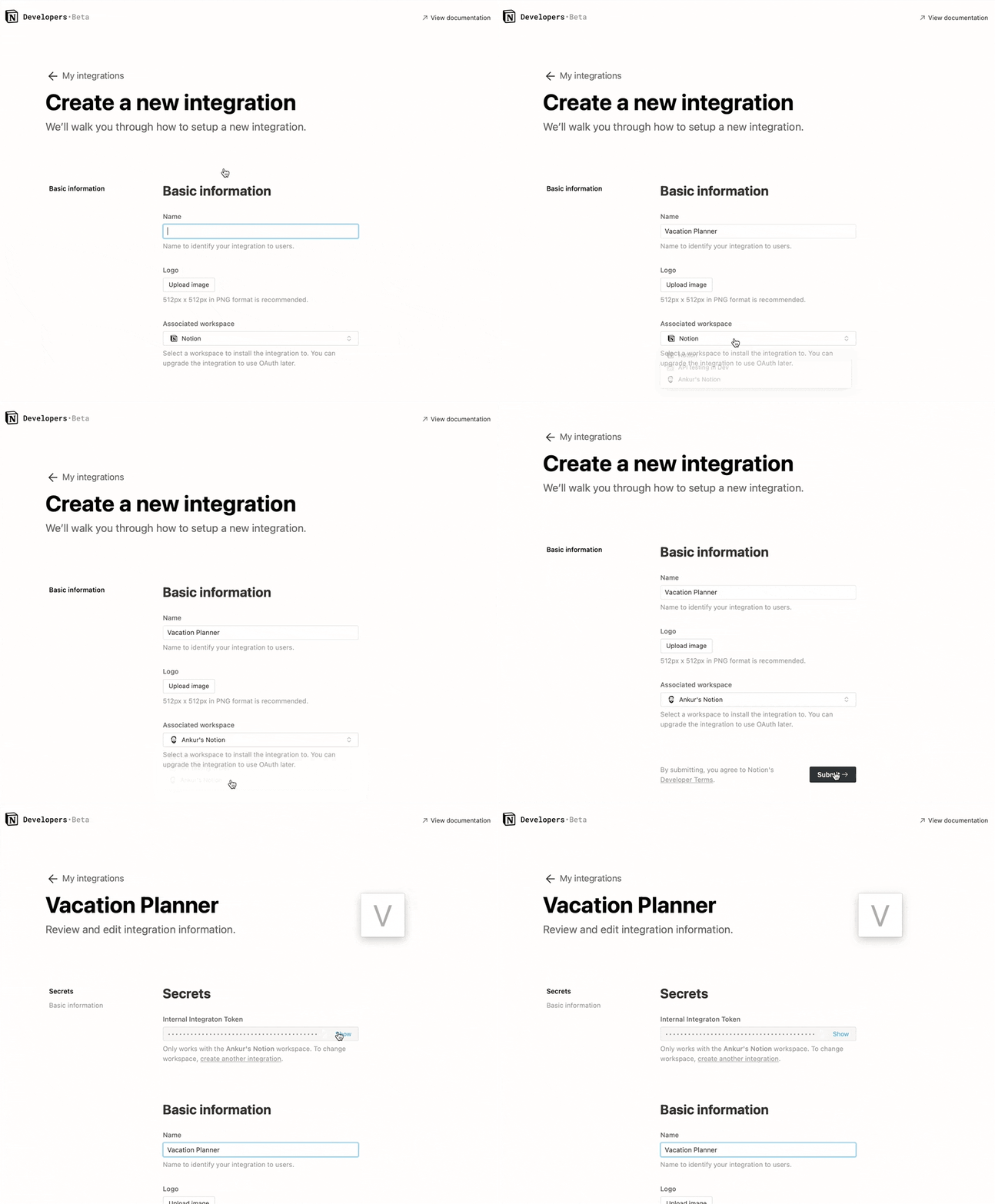
Step 1: Create integration.
Go to https://www.notion.com/my-integrations
Once created, copy secrets toekn
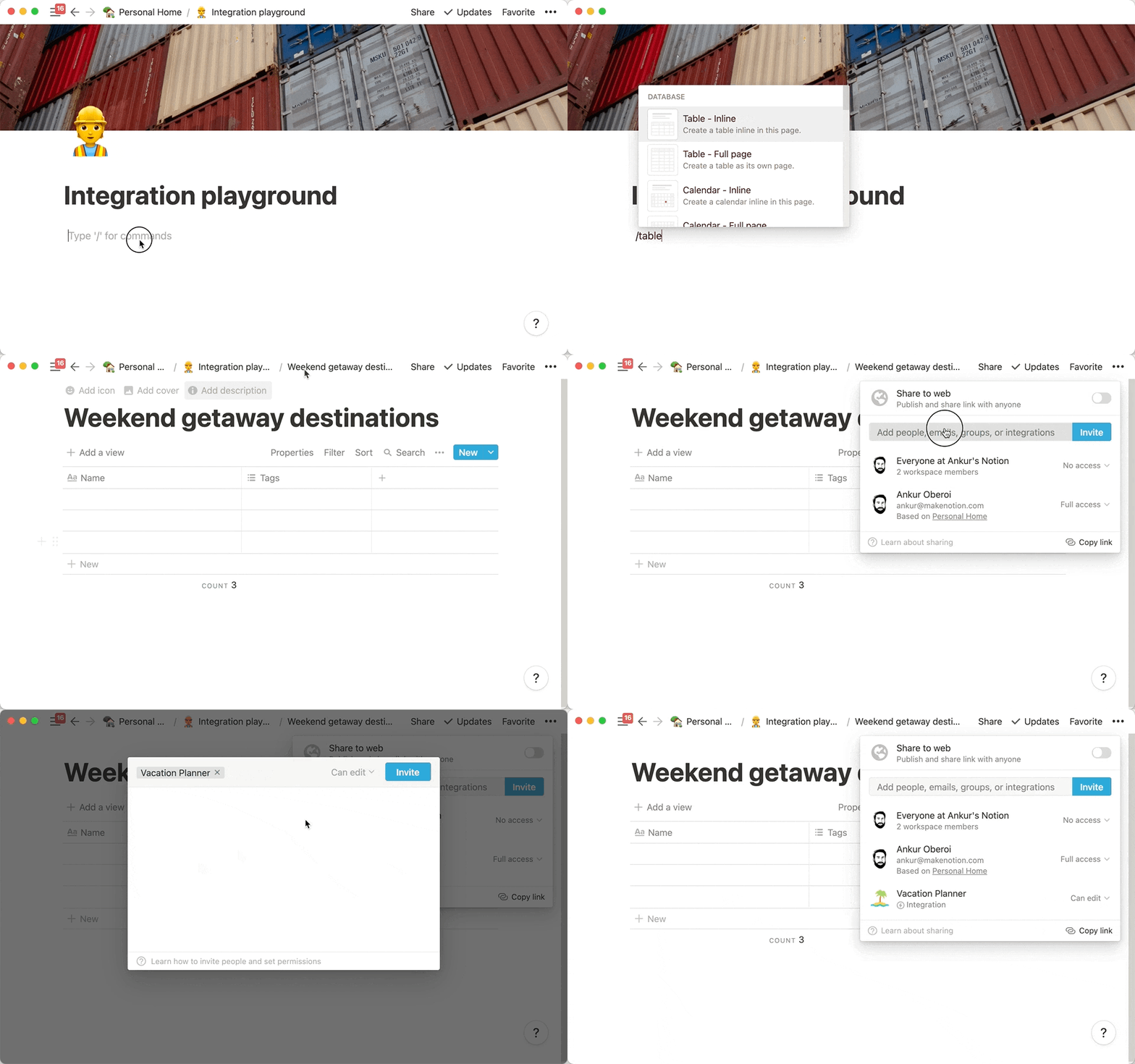
Step 2: Share a database with your integration
Create a new page (with public permissions)
Create a new database in the page -> you need full page database

Add integration to your new database
Step 3: Copy the database ID
https://www.notion.so/myworkspace/a8aec43384f447ed84390e8e42c2e089?v=...
                                  | --------- Database ID --------|
Open the plugin configuration
Fill the configuration with the NOTION_API_KEY and DATABASE_ID you got

Upload file content to notion
Click the upload notion button
 A share link will be automatically generated after successful upload

Buy me a cup of coffee.
Thanks
Development Process | Obsidian Plugin Development Documentation
GitHub - devbean/obsidian-wordpress: An obsidian plugin for publishing docs to WordPress.
GitHub - obsidianmd/obsidian-api
License
GNU GPLv3